Knwit Fasting · OMAD & intermittent fasting

Knwit Fasting for Android

Know when your eating window opens.

Open Knwit Fasting and see how much time is left. Follow your OMAD or intermittent fasting routine, log your weight in seconds and see how it changes over time.

No account or login. Your current fasting timer settings and weight entries stay on your device.

OMAD at the core No account Nutrition+ with Premium
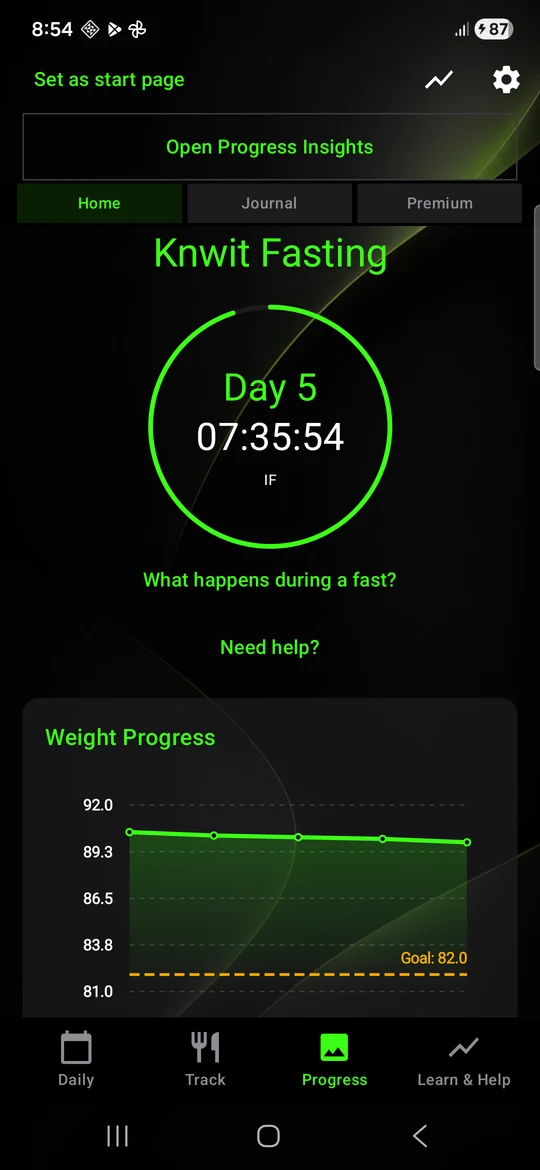
Knwit Fasting daily dashboard with the countdown to the eating window
One clear dayTimer, eating window and next action stay easy to find.
One visible journeyWeight entries become a trend you can actually read.
Only what helpsKCAL, food, water and activity remain optional.
Private by designStart without creating an account.

A calmer daily system

Everything important stays connected.

Knwit Fasting keeps the daily routine, OMAD, fasting and progress clear while adding faster nutrition tools when they earn their place.

01 · Daily

Your fasting day, at a glance.

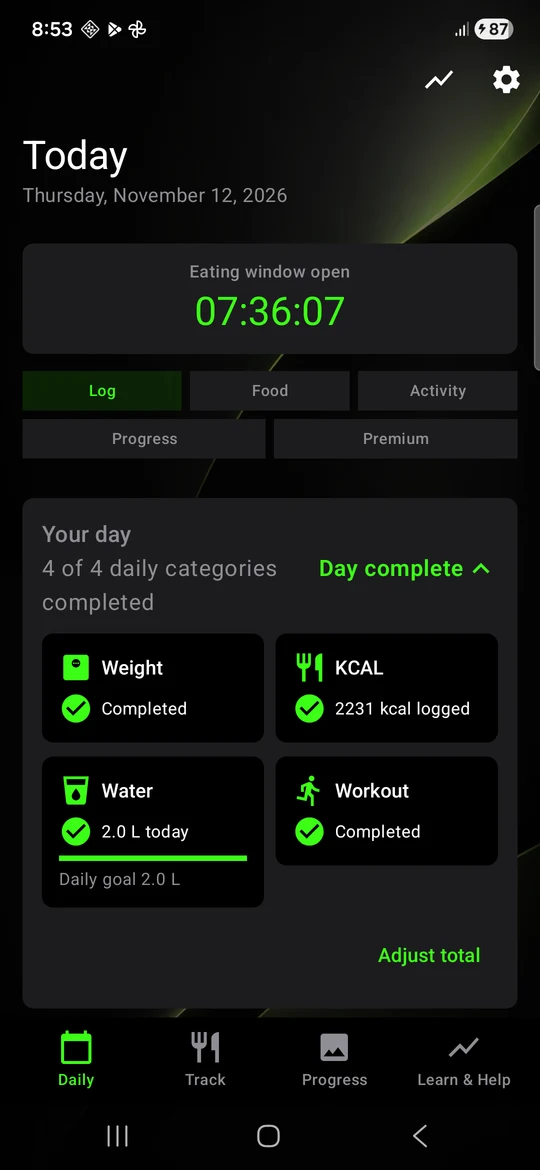
See whether your eating window is open, follow the timer and move straight to the next useful action. The daily view keeps weight, KCAL, water and movement together without forcing you to use all four.

  • OMAD remains the specialist core.
  • The timer also supports broader intermittent fasting routines.
  • Choose OMAD, IF, Fast & OMAD or the KCAL programme with guided setup.
Explore OMAD and fasting
Knwit Fasting daily dashboard with the countdown to the eating window

02 · Progress

See the trend. Keep the routine.

One weigh-in is a moment. Follow your recorded weight trend and goal progress. Return when your own routine calls for it — useful tracking does not require opening the app every day.

  • Log weight in seconds.
  • Review progress without turning the app into dashboard noise.
  • Preview and import compatible weight history.
  • Use the Progress Journal for your weight history and notes.
Explore weight progress
Knwit Fasting progress dashboard with weight tracking

03 · Nutrition+

Log complete meals, your way.

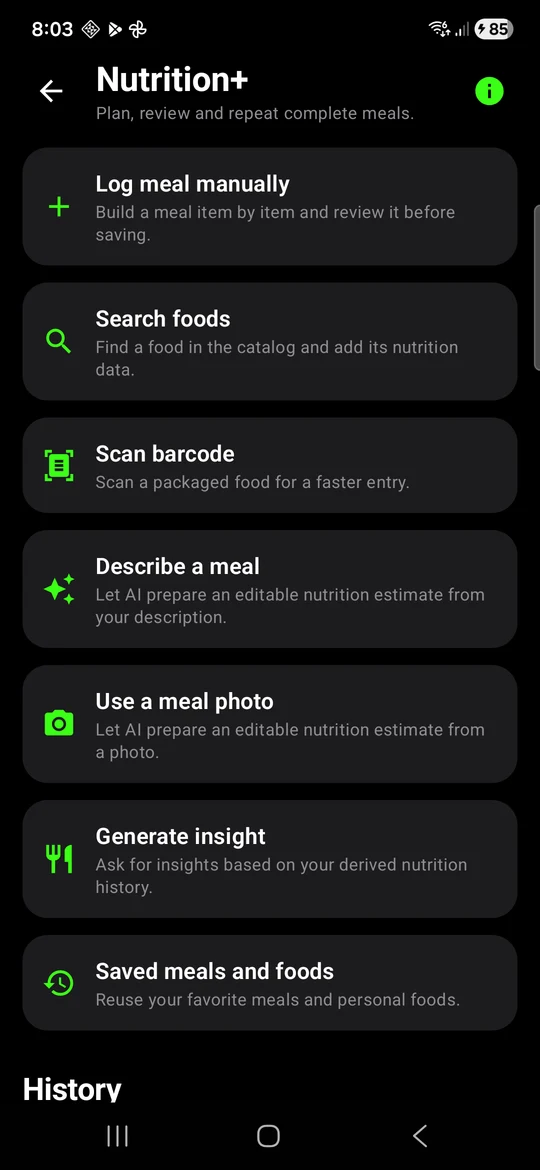
Premium Nutrition+ brings manual meal building, food search, packaged-food barcode scanning, saved meals and history into one reviewable flow.

  • Build a meal item by item or find foods faster.
  • Review portions and nutrition before saving.
  • Reuse favorite meals, personal foods and previous entries.
Knwit Fasting Nutrition+ dashboard with calorie tracking

Actual Nutrition+ screen in English; Premium required.

04 · Premium Hub

More depth, without losing the routine.

Open Nutrition+, barcode scanning, editable AI meal logging and longer-term insights from one Premium toolbox. OMAD and fasting remain the core; Premium is there when you want to go further.

  • Describe a meal or choose a photo, then edit every AI-assisted proposal before saving.
  • Explore Nutrition Insights across 7, 30 or 90 days.
  • Use body measurements, progress photos and extended reports.
AI assists. You stay in control.Every meal proposal remains editable before it becomes part of your history.
Explore Knwit Fasting on Google Play
Knwit Fasting Nutrition+ dashboard with calorie tracking

Actual Nutrition+ screen in English; Premium required.

Start free

Explore first. Choose later.

Daily uses a 24-hour Day Pass after the required rewarded interaction and confirmation. Other eligible destinations have separate unlocks; a Daily pass does not unlock everything. Nutrition+, AI, Body and extended reports require Premium. A Premium purchase is never required to receive an eligible rewarded unlock.

Daily

A 24-hour Day Pass

Complete the required rewarded interaction and confirm to unlock Daily for 24 hours.

Other destinations

Existing separate unlocks

Eligible Track, Progress, recipe and exercise destinations retain their own access rules. One pass does not unlock every function.

Continuous access

Premium stays Premium

Nutrition+, AI meal tools, Nutrition Insights, Body and extended reports remain Premium-only and are not unlocked by a Day Pass.

Knwit Fasting Premium

More detail. Less interruption.

Nutrition+, barcode, optional editable AI, Body and extended reports — with continuous ad-free Premium access. Subscriptions are optional; Google Play shows local prices and terms before purchase.

40 seconds · Sound is controlled by you · No automatic purchase.

Frequently asked questions

Clear answers before you start.

Is Knwit only for OMAD?

OMAD is the specialist core. The fasting timer and eating-window tools can also support another intermittent fasting routine that fits your day.

Do I need an account?

No. You can start without an account or login. Your current fasting timer settings and weight entries are stored on your device. Optional Premium AI tools run only when you choose to use them.

Can I import old weight data?

Yes. Knwit Fasting can preview and import compatible weight history from CSV or a readable Knwit export. You review the detected data before confirming the import.

What does Premium add?

Premium removes ads and adds Nutrition+, barcode scanning, editable AI-assisted meal logging from text or photos, 7/30/90-day Nutrition Insights, body measurements, progress photos and extended reports.

Does Knwit provide medical advice?

No. Knwit does not provide medical advice or guarantee weight-loss results. Consult a qualified healthcare professional before fasting, dieting or making significant dietary changes.

Knwit Fasting

One clear routine. Your data. Your pace.

Start with OMAD, fasting and weight progress. Add Nutrition+ and deeper Premium tools only when they help.

Your eating window is only the start.

Keep your fasting routine, meals and progress connected. Add Nutrition+, recipes, workouts and deeper reports when they are useful to you.

Your fasting history

Look back at completed, interrupted and recorded sessions alongside your planned routine.

Recipes & meal templates

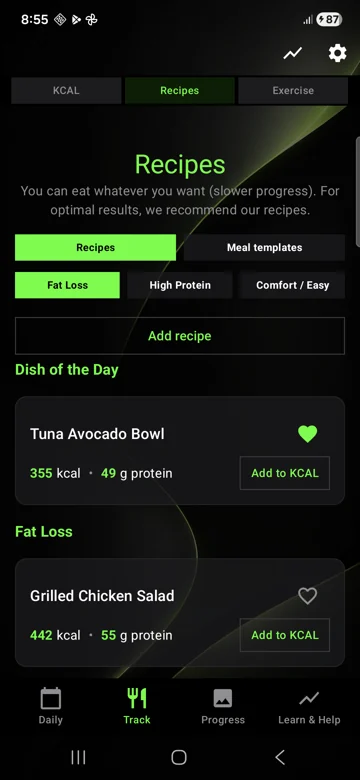
Find meal ideas, save favorites and reuse meal templates. Separate rewarded access or Premium applies.

Workouts & activity

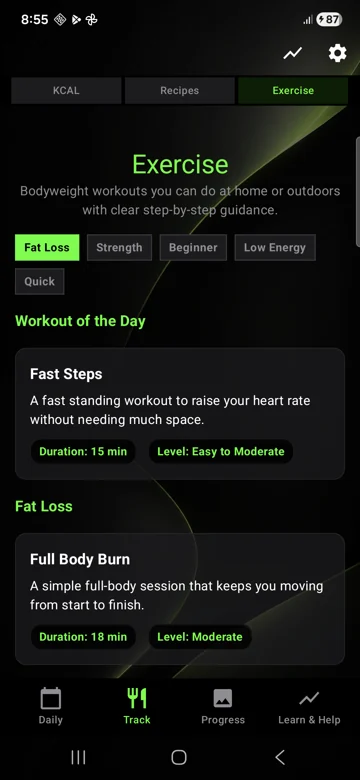
Explore suggested workouts and record movement as part of your own routine. Access varies by section.

Editable AI meal tools

Describe a meal or choose a photo, review the proposal and edit it before saving. Premium, consent and internet required.

Body & progress photos

Keep body measurements and compare stored progress photos alongside your weight history. Premium.

PDFs & backups

Create a daily report or use Premium for longer reports. Save an encrypted backup and review compatible weight imports.